Obsidian AI Summarize: summaries inside the editor
Overview
I wanted to summarize long notes without copying them into a separate chat. I built a TypeScript plugin that sent selected text to OpenAI and returned the response inside Obsidian.
Most of the product work was around that request: showing progress, choosing where the result belonged, handling long selections, and preserving settings for different kinds of notes. The selected text went to an external API, so this was not local-only processing.
Constraints
A streamed response arrives in pieces. The plugin needed to display progress, handle cancellation, and avoid overlapping runs writing into the editor.
Implementation
I added streaming with controlled editor updates, run IDs, and cancellation. Progress remained visible while the request was active.
Features
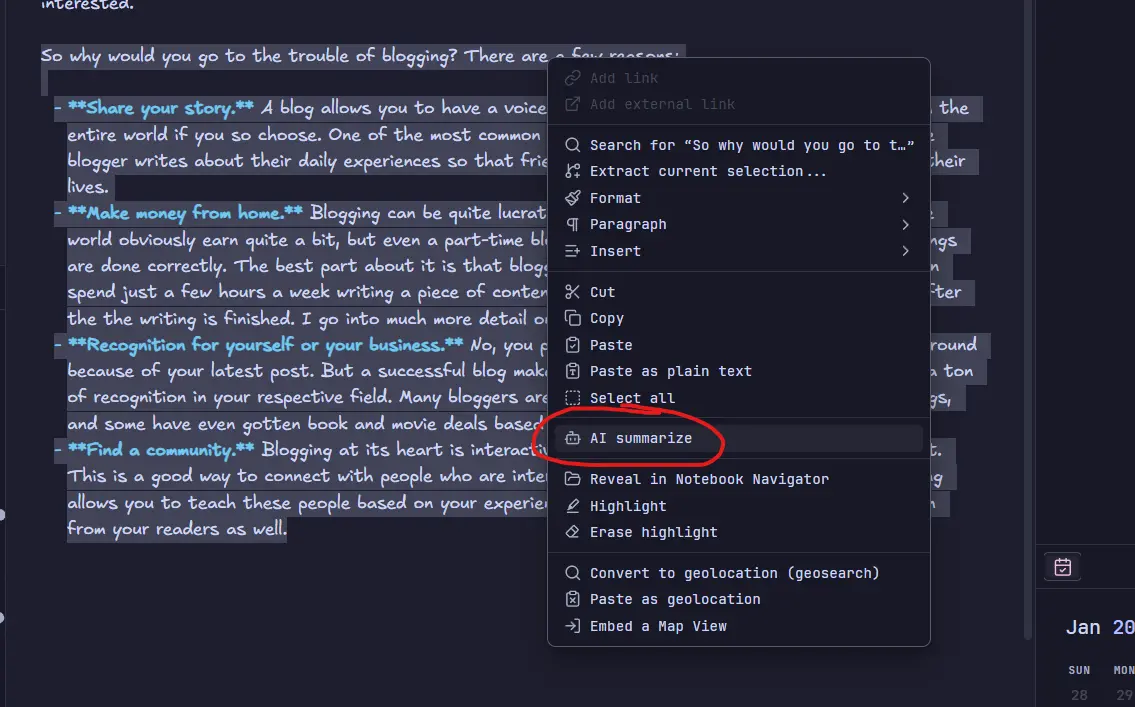
Start from selected text
The context menu provided a summary action beside the selected passage.
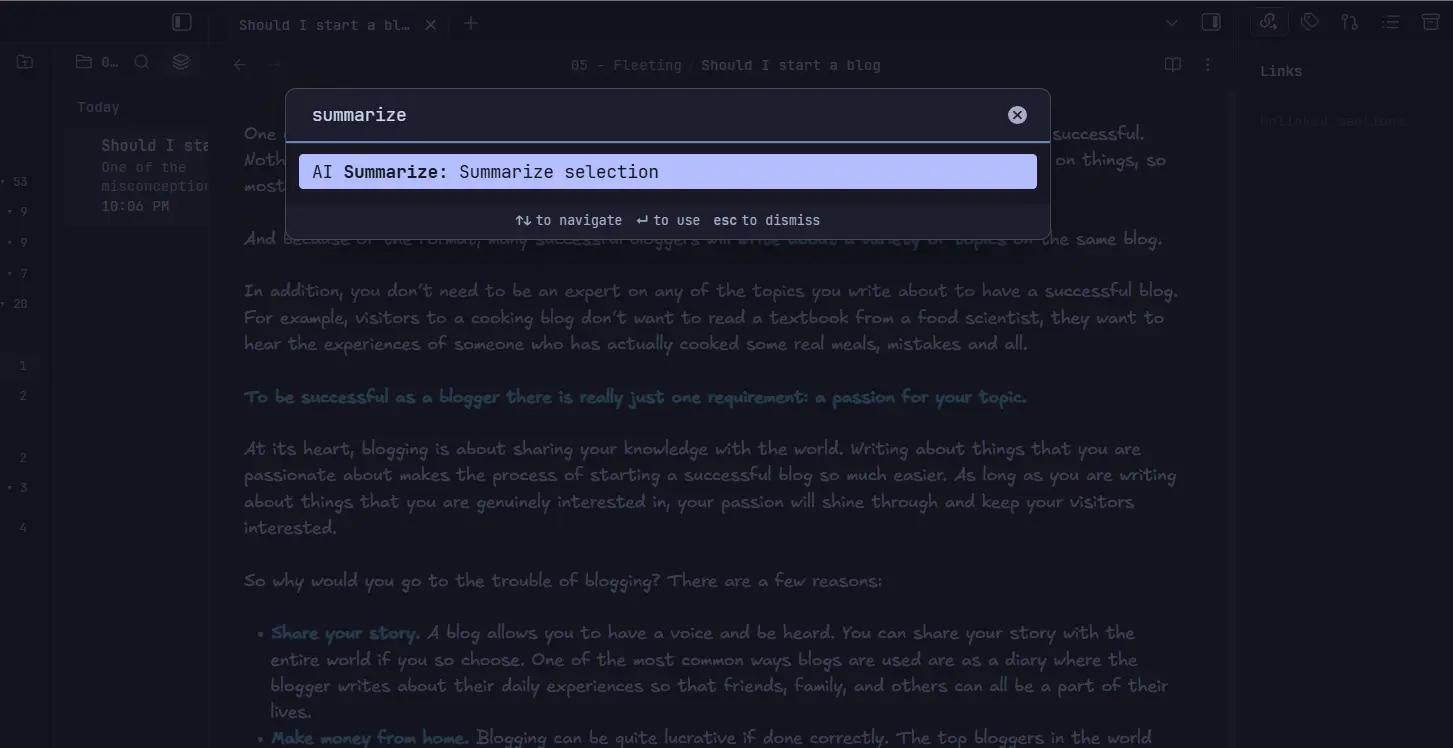
Use the command palette
The summary command also supported keyboard-based workflows and custom shortcuts.
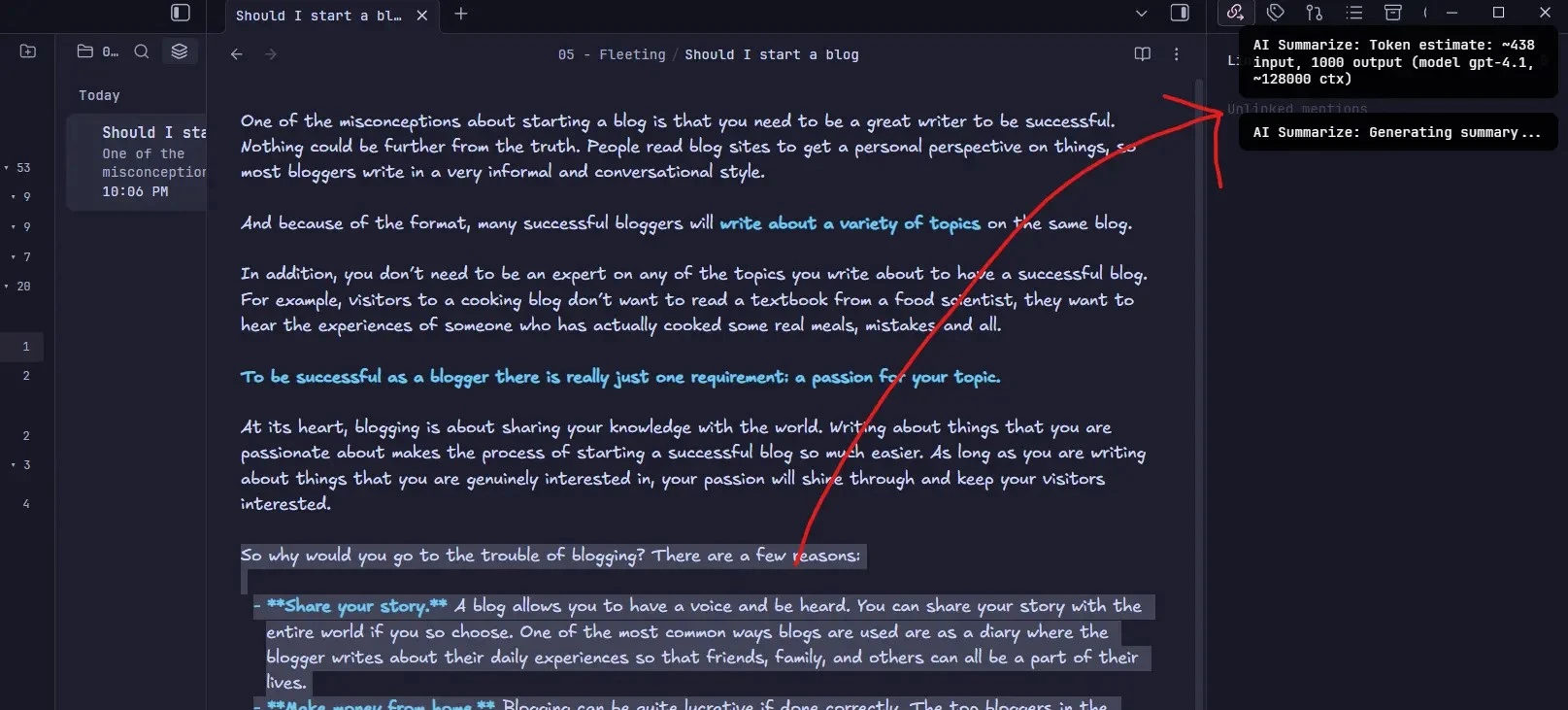
See progress on long notes
For split input, the interface showed which part was being processed.
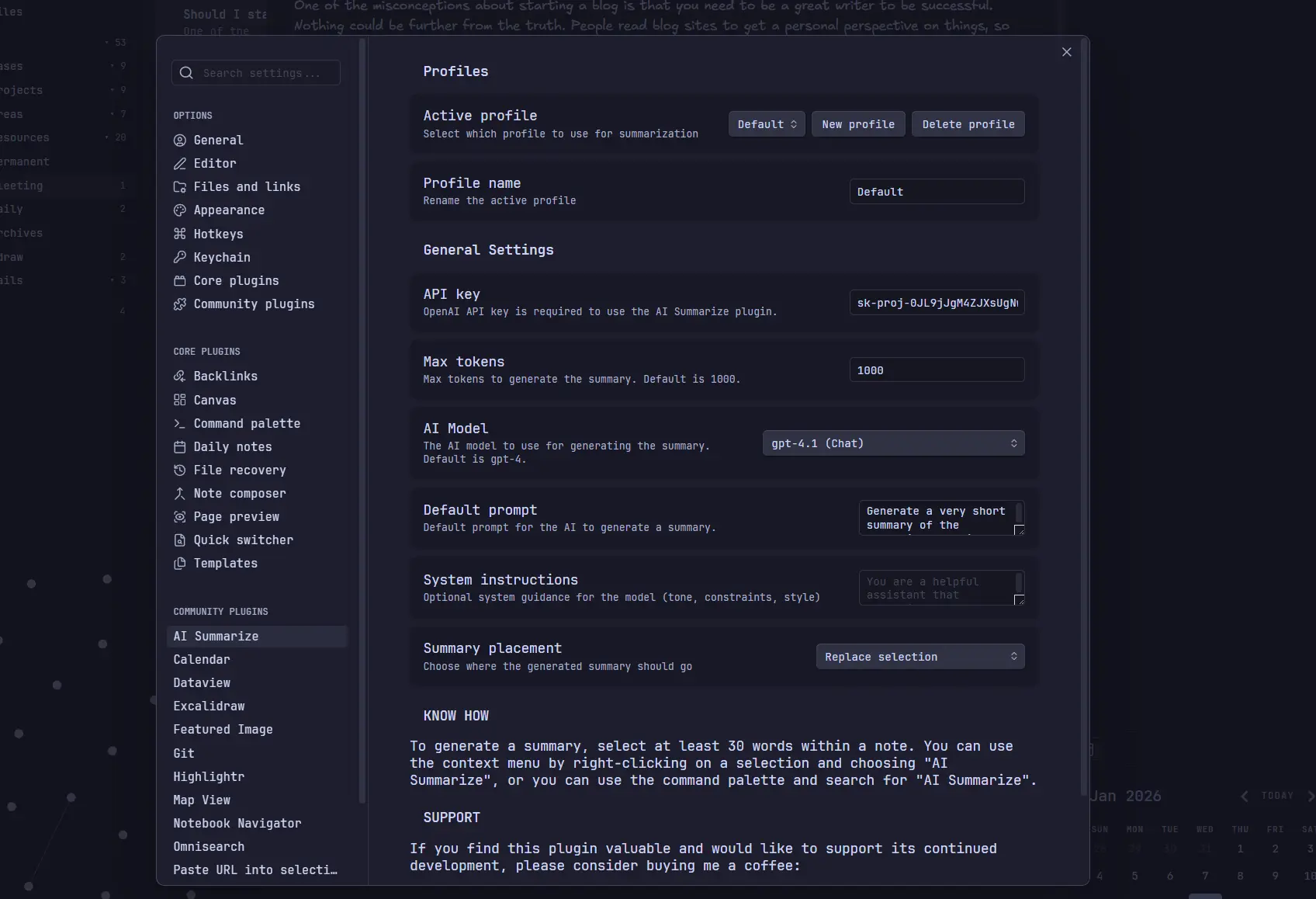
Adjust the request
Settings let users choose the model, prompt, and output limit for their notes.
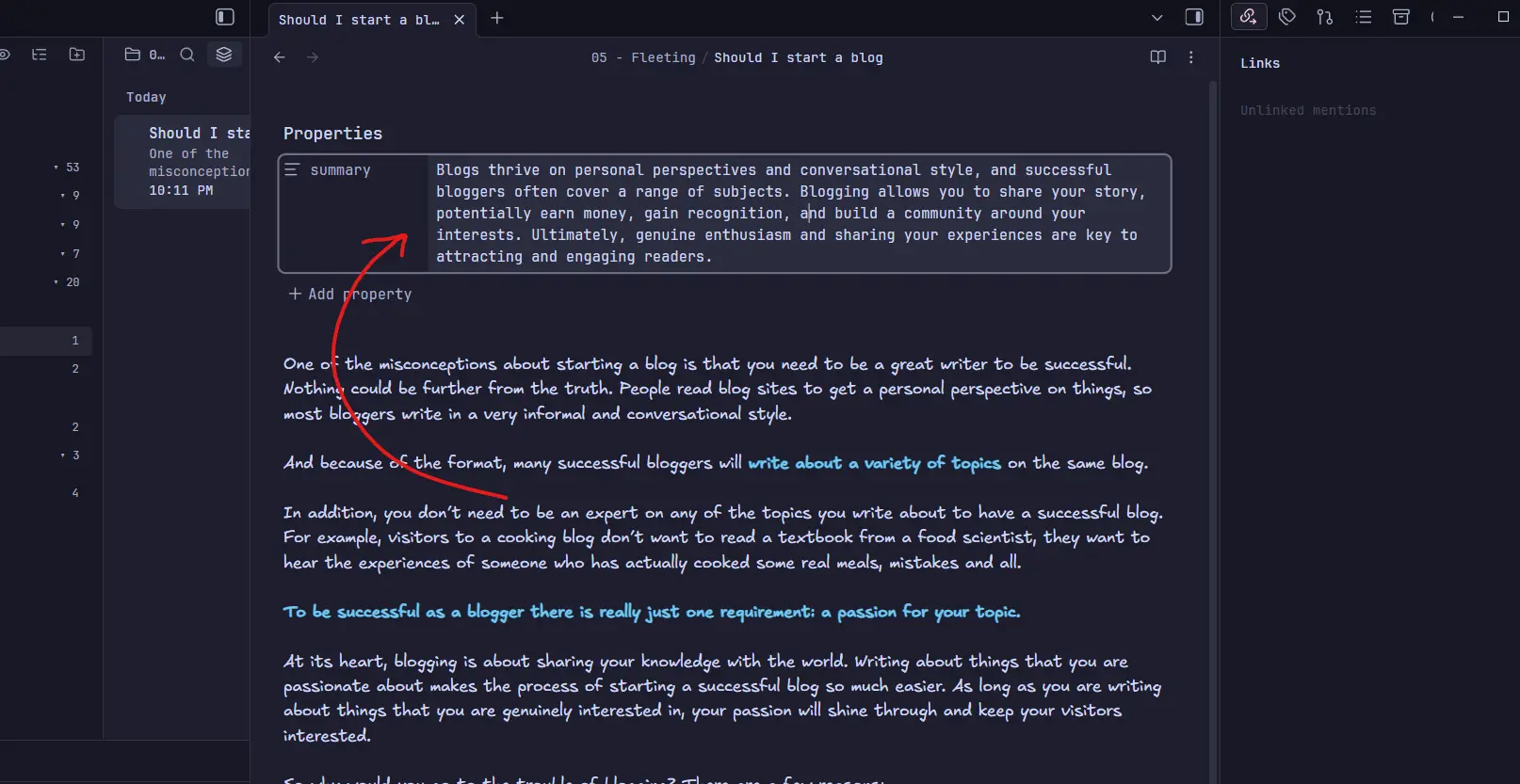
Store a summary as note metadata
A YAML summary property kept the generated text separate from the note body.
Results
- Summarization was available from the editor context menu and command palette.
- Output placement and saved profiles supported different note structures.
- Streaming and progress indicators made long requests visible to the user.
What mattered
The API call was a small part of the plugin. The more useful work was fitting it into an editor without making users reorganize their notes. A generated summary still needs to be checked against its source.